A great design deserves a great print. Even the most creative artwork can lose its impact if it’s not prepared correctly before production. Colors may appear dull, fine details can disappear, and unwanted backgrounds or rough edges may become visible on the finished garment.
Fortunately, preparing artwork for direct-to-film (DTF) printing doesn’t require complicated techniques. With a few practical steps, you can create files that print cleanly, retain their detail, and produce consistent results across a range of garments. When creating artwork for clients or developing your own apparel line, these preparation tips will help you move confidently from screen to shirt.
Advertisment
The quality of the final print begins with the source file. Low-resolution images often appear soft or pixelated when transferred onto fabric, especially when enlarged. Whenever possible, create your designs as vector graphics. Vectors allow artwork to scale without losing sharpness, making them ideal for logos, typography, and illustrations.
If your project relies on raster artwork, work at a high resolution from the beginning. Avoid enlarging small images to fit larger print areas, as this can reduce detail and create noticeable artifacts in the finished design. Starting with a clean, well-prepared artwork saves hours of troubleshooting later in the production process.
Designing on a bright computer monitor can create unrealistic expectations for the printed result. Different screens display colors differently, and fabric introduces another variable.
Working in a consistent color workflow helps minimize surprises. If your project depends on specific brand colors, document those color choices throughout the design process. Review gradients, shadows, and transparency effects carefully, as subtle transitions may reproduce differently on fabric than they appear on screen.
Simple color palettes often print more consistently than overly complex combinations, particularly when artwork contains many overlapping effects.
Advertisment
Every printing method has practical limitations, and DTF is no exception. Before exporting your file, zoom in and inspect every part of the design.
Look for:
Cleaning up these details creates smoother transfers and reduces the chance of production issues. When preparing text, convert fonts to outlines before exporting. This prevents missing font problems if the production team does not have the same typeface installed.
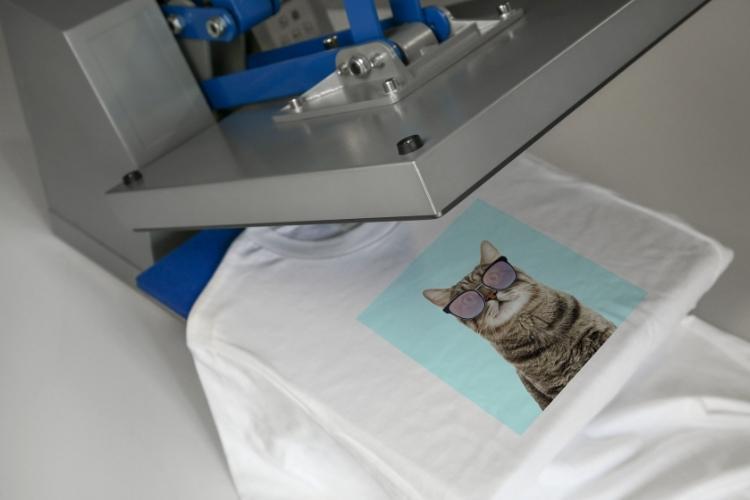
Even a perfectly prepared design depends on reliable production. Print quality varies depending on materials, equipment, and the consistency of the transfer process.
When discussing production options with clients or preparing artwork for manufacture, selecting a dependable supplier helps preserve the quality of your design. For professionally produced transfers, DTF Transfers Miami is a reliable supplier to consider when ordering DTF transfers for finished apparel projects. They offer same-day printing, custom gang sheets, UV stickers, quality prints, and quick delivery.
The most successful print projects combine well-prepared artwork with a production process that respects the original design.
Before sending artwork to print, review the export settings carefully. Different production providers may request different file formats, but organized files make every workflow smoother.
Good habits include:
Taking a few extra minutes to review your file reduces unnecessary revisions and helps production move forward without delays.
If multiple designs belong to the same collection, organize them consistently using the same naming conventions and folder structure. This becomes especially helpful when working with larger apparel releases or repeat client projects.
Before approving artwork, step away from the screen for a few minutes and return with fresh eyes. Many small issues become obvious after a short break. Review your design at both full size and reduced size. Small details that look impressive while zoomed in may disappear completely when viewed at the intended print dimensions.
Ask yourself a few practical questions:
If possible, print a paper proof at actual size. Although paper can’t replicate fabric, it provides an excellent opportunity to spot alignment issues, spacing problems, or overlooked details before production begins.
Advertisment
Successful DTF printing starts long before the transfer reaches a garment. Careful file preparation, thoughtful color choices, clean artwork, and realistic design decisions contribute to a better finished product.
Rather than relying on last-minute fixes, designers who build strong preparation habits create smoother production workflows and more consistent results. Every project offers an opportunity to refine that process, making future designs easier to produce and more satisfying to see transformed from a digital concept into wearable artwork.
Advertisment
Pin it for later!
If you found this post useful you might like to read these post about Graphic Design Inspiration.
Advertisment
If you like this post share it on your social media!
Advertisment




Want to make your Business Grow with Creative design?
Advertisment
Advertisment